
Download BannerBot – AI‑Powered Banner Maker for Free, Secure & Fast Updates
Overview: Why BannerBot Stands Out in the Banner‑Creation Landscape
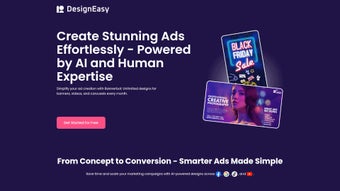
In today’s fast‑paced digital marketing arena, eye‑catching visuals are the currency of audience attention. BannerBot emerges as a game‑changing AI‑powered web application that simplifies the creation of high‑impact promotional banners for businesses of any size. Built with an intuitive drag‑and‑drop interface, BannerBot lets users customize every design element—text, colors, gradients, fonts, and images—while preserving brand consistency.
Whether you’re launching a new product, announcing an event, or refreshing a seasonal campaign, the tool supports multiple banner dimensions, including landscape, square, and portrait formats, ensuring the right fit for social media, website headers, email newsletters, and ad networks. Its advanced rendering algorithms guarantee crisp, high‑resolution output that looks professional on any screen. Moreover, BannerBot offers a curated library of pre‑designed templates tailored to diverse promotional needs, shortening the time from concept to publish.
By combining flexibility, AI‑driven assistance, and a library of ready‑made assets, BannerBot empowers marketers, designers, and small‑business owners to produce unique banners that resonate with target audiences and boost conversion rates—all without the steep learning curve of traditional graphic‑design suites. The platform’s cloud‑first architecture also means that every project is automatically saved, versioned, and accessible from any device, reinforcing the “download‑once‑use‑anywhere” promise that modern professionals demand. In short, BannerBot is not just another banner creator; it is a secure, constantly updated, and free‑to‑start solution that aligns with the demands of today’s multi‑channel marketing strategies.
Key Features that Make BannerBot a Must‑Have Marketing Tool
- AI‑Assisted Design Engine: Automatically suggests layout adjustments, color palettes, and typography pairings based on your brand inputs, reducing design time by up to 70%.
- Responsive Template Library: Over 150 professionally crafted templates covering product launches, holiday sales, webinars, and more, each fully editable.
- Multi‑Size Support: Instantly switch between landscape (1200×628), square (1080×1080), portrait (1080×1350), and custom dimensions without losing design fidelity.
- Advanced Text & Font Controls: Access a library of Google Fonts, custom font uploads, kerning, line‑height, and text‑shadow options for precise typographic control.
- Dynamic Color & Gradient Picker: Choose from solid colors, linear/radial gradients, or import brand palettes via HEX, RGB, or Pantone values.
- Image Integration & Editing: Upload your own assets or pull from free stock libraries; built‑in cropping, background removal, and filter tools keep visuals sharp.
- Real‑Time Collaboration: Share edit links with teammates, assign roles, and leave comments directly on the canvas for seamless teamwork.
- One‑Click Export: Download banners in PNG, JPEG, or SVG formats, or export directly to Facebook Ads Manager, Google Display Network, and email platforms.
- Secure Cloud Storage: All projects are saved automatically in encrypted cloud storage, enabling access from any device and safeguarding data privacy.
- Regular Free Updates: New templates, AI enhancements, and performance upgrades roll out monthly at no extra cost.
- Zapier & API Integrations: Connect BannerBot with your favorite CRM, project‑management, or marketing automation tools to streamline workflow.
- Multi‑Language Interface: Supports English, Spanish, French, German, and Japanese, making it accessible for global teams.
- Accessibility Controls: Built‑in contrast checks and alt‑text suggestions help you meet WCAG standards for inclusive design.
Step‑by‑Step Installation & Usage Guide for Immediate Results
BannerBot is a web‑based application, which means there is no traditional “installation” process—simply sign up, and you’re ready to design. Follow these straightforward steps to start creating stunning banners in minutes, and discover tips that help you get the most out of the AI assistance and collaboration tools.
1. Account Creation & Initial Setup
- Visit the official BannerBot website and click “Sign Up for Free.”
- Enter your business email, create a strong password, and verify your account via the confirmation link sent to your inbox.
- Complete the brand onboarding wizard: upload your logo, define primary/secondary colors, and select your preferred fonts. This data fuels the AI‑assisted suggestions throughout the design process.
- Optional: Enable two‑factor authentication for added security, especially if you handle sensitive campaign assets.
2. Choosing a Template or Starting from Scratch
- After logging in, you’ll land on the dashboard where “New Banner” is prominently displayed.
- Select “Use Template” to browse the curated library, or choose “Blank Canvas” for total creative freedom.
- Apply a pre‑designed layout, then click any element to edit text, swap images, or adjust colors. Use the “Smart Filter” to instantly see which templates perform best for your industry.
3. Harnessing AI Suggestions
- Toggle the “AI Assist” button on the right sidebar. The engine analyses your content and proposes alternative layouts, font pairings, and visual hierarchy improvements.
- Accept suggestions with a single click or fine‑tune them manually to match your exact vision. The AI also provides a “Conversion Score” based on design best practices.
4. Fine‑Tuning Design Elements
- Use the “Layers” panel to reorder objects, lock background images, or group elements for easier manipulation.
- Experiment with the gradient picker, adjust opacity, or add drop shadows to create depth.
- Utilize the built‑in photo editor to crop, resize, or apply filters to uploaded images without leaving the platform.
- Leverage the “Brand Consistency Checker” to ensure that colors, fonts, and spacing adhere to your brand guidelines.
5. Exporting & Publishing
- When satisfied, click “Export.” Choose your desired file format (PNG for web, JPEG for email, SVG for scalable graphics).
- Optionally, select “Direct Publish” to send the banner straight to Facebook Ads Manager, Google Display Network, Mailchimp, or any connected platform.
- All exported files are saved in your secure cloud folder, accessible from any device for future edits.
- Tip: Use the “A/B Test Generator” to automatically create variant banners for split‑testing campaigns.
The entire workflow is designed for speed and simplicity, allowing marketers to generate professional‑grade banners in under ten minutes—freeing up valuable time for strategy, analytics, and audience engagement.
Compatibility, Pros & Cons: A Balanced Look at BannerBot’s Performance
Because BannerBot runs entirely in the browser, it is compatible with any modern operating system that supports HTML5, including Windows 10/11, macOS Monterey and later, Linux distributions, as well as mobile platforms like Android 8.0+ and iOS 13+. The only requirement is a stable internet connection and a recent version of Chrome, Edge, Firefox, or Safari.
Pros
- Zero‑Installation: Accessible from any device with a web browser.
- AI‑Driven Efficiency: Cuts design time dramatically while maintaining high aesthetic standards.
- Extensive Template Library: Ready‑made designs for a wide range of marketing scenarios.
- Full Brand Control: Upload logos, set color palettes, and use custom fonts to stay on brand.
- Collaboration Features: Real‑time editing and commenting streamline teamwork.
- Secure Cloud Storage: Automatic backups protect your work and enable cross‑device access.
- Free Core Version: No upfront cost for the essential features; premium add‑ons optional.
- Regular Updates: Monthly releases keep the tool fresh with new templates and AI improvements.
- Multi‑Language Support: Enables global teams to work in their native language.
Cons
- Internet Dependency: Requires an active connection; offline editing is not supported.
- Limited Advanced Illustration Tools: Power users seeking vector‑drawing capabilities may need a separate program.
- Template Overlap: Popular templates may become common across multiple users, reducing uniqueness unless heavily customized.
- Premium Feature Pricing: Some advanced AI modules and stock‑image bundles are locked behind a subscription.
- Learning Curve for AI Settings: While powerful, the AI suggestions may require a few attempts to fully master.
Overall Rating: 4.5/5 – BannerBot delivers a powerful mix of AI assistance and user‑friendly design tools, making it an excellent choice for marketers seeking speed without sacrificing quality.
Frequently Asked Questions about BannerBot
Is BannerBot completely free to use?
BannerBot offers a robust free tier that includes unlimited banner creation, access to the core template library, and AI‑assisted design suggestions. Premium features such as advanced AI modules, premium stock‑image packs, and priority support are available through a monthly subscription.
Can I export banners in vector format for large‑scale printing?
Yes, BannerBot supports SVG export, which retains scalability without loss of quality, making it ideal for print‑ready graphics and large‑format signage.
How does the AI suggestion engine work?
The AI engine analyses your brand inputs, the chosen template, and the textual content you provide. It then recommends layout adjustments, complementary color schemes, and font pairings based on millions of design data points, aiming to improve visual hierarchy and engagement.
Is my data safe when I store projects in the cloud?
BannerBot employs AES‑256 encryption for all stored assets and uses SSL/TLS for data transmission. Your projects are private by default, and you can control sharing permissions for collaborators.
Can I integrate BannerBot with my existing marketing platforms?
BannerBot offers direct export options to Facebook Ads Manager, Google Display Network, Mailchimp, and other major platforms. Additionally, you can use Zapier connectors to automate workflow between BannerBot and your preferred CRM or project‑management tools.
Conclusion & Call to Action
BannerBot has positioned itself as an essential, AI‑enhanced banner creation solution for modern marketers. Its blend of ease‑of‑use, brand consistency tools, and powerful AI suggestions dramatically shortens the design cycle while delivering professional‑grade visuals. Whether you’re a small business owner looking for a cost‑effective design ally or a large agency needing rapid turnaround on campaign assets, BannerBot offers a flexible, secure, and scalable platform. Ready to elevate your visual marketing? Download BannerBot today and start crafting captivating banners that convert.



.png)



